In the fast-evolving world of digital products, User Interface (UI) and User Experience (UX) design are more critical than ever. A visually appealing website or app is no longer enough users expect intuitive navigation, fast load times, and a seamless experience across all devices.
At Prime Code, we specialize in crafting world-class digital solutions that blend aesthetic beauty with functional excellence. In this guide, we’ll break down the essential components of UI/UX design and provide you with actionable insights based on years of hands-on experience in the field.
What Is UI/UX Design?
Before diving into the techniques and tools, it’s crucial to understand what UI and UX mean.
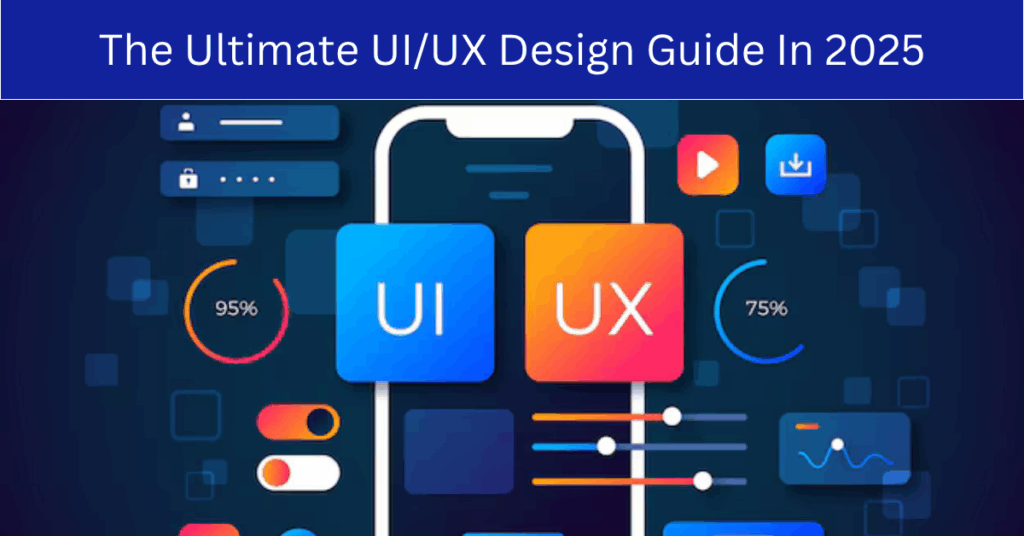
- UI (User Interface) design focuses on the look and feel of a product the buttons, typography, spacing, colors, and all visual touchpoints users interact with.
- UX (User Experience) design is about the overall experience users have when interacting with your product. It includes usability, functionality, accessibility, and emotional response.
In short: UI is how things look; UX is how they work. Together, they shape your user’s perception of your brand.
Why UI/UX Design Matters
Great UI/UX design isn’t just about looks it’s about business performance. Here’s why it matters:
- First Impressions Count: Users form opinions about your site or app in less than a second.
- Retention and Engagement: A well-designed interface improves user satisfaction and reduces churn.
- Conversion Rates: Better UX directly impacts lead generation and sales.
- Competitive Edge: In a crowded market, seamless design can be a key differentiator.
The Core Principles of UI/UX Design
To create products that resonate with users, here are the foundational principles every designer should follow:
1. User-Centered Design
Always design with the user in mind. This includes conducting research to understand user behavior, needs, and pain points.
Best Practices:
- Create user personas
- Conduct usability testing
- Gather real feedback early and often
2. Consistency
Consistency in design enhances usability and reduces the learning curve.
Best Practices:
- Use a design system or style guide
- Repeat common elements (like buttons or colors)
- Maintain uniform navigation across pages
3. Simplicity
Less is more. Overcomplicated designs confuse users and cause frustration.
Best Practices:
- Prioritize essential features
- Keep content clear and concise
- Avoid visual clutter
4. Accessibility
Design should be inclusive and usable by people with various disabilities.
Best Practices:
- Use alt text for images
- Ensure color contrast meets accessibility standards
- Enable keyboard navigation
5. Feedback and Responsiveness
Your interface should provide feedback for every user action.
Best Practices:
- Show loading indicators
- Use confirmation messages
- Provide error messages that are helpful, not just alerts
The UI/UX Design Process
At Prime Code, we follow a systematic design process to ensure the best outcomes:
1. Research & Discovery
We start with understanding the problem space through:
- Stakeholder interviews
- User surveys
- Competitor analysis
- Analytics review
2. Wireframing & Prototyping
Before we dive into visuals, we map out functionality with low-fidelity wireframes and interactive prototypes using tools like:
- Figma
- Adobe XD
- Sketch
3. UI Design
We then create high-fidelity mockups, considering branding, color theory, typography, and responsiveness.
4. Testing & Validation
Usability tests are conducted to validate design decisions. A/B testing is used to measure what works best.
5. Implementation Support
Our UI/UX team collaborates with developers to ensure the final product looks and functions as intended.
Tools and Technologies We Recommend
To streamline your UI/UX workflow, here are some tools that we at Prime Code trust and use:
- Figma: For collaborative design
- InVision: For prototyping and user feedback
- Zeplin: To hand off designs to developers
- Hotjar: To analyze real user behavior
- Google Optimize: For A/B testing
Current UI/UX Trends to Watch in 2025
Staying updated with industry trends ensures your product feels modern and relevant. Here are some top trends we’re seeing in 2025:
- Dark Mode: Improves battery life and reduces eye strain
- Glassmorphism: A sleek, transparent design style
- Voice User Interface (VUI): Voice commands are becoming more integrated
- Personalized UX: AI-driven experiences tailored to individual users
- Micro-interactions: Small animations that enhance the user journey
Measuring the Success of UI/UX Design
Design isn’t complete until it’s evaluated. Here are some key performance indicators (KPIs) we use:
- Bounce rate: Indicates how engaging your first page is
- Conversion rate: Measures how well your design drives action
- Task completion rate: Shows usability efficiency
- Net Promoter Score (NPS): Reflects overall user satisfaction
Common Mistakes to Avoid
Even the best intentions can lead to poor design choices. Watch out for:
- Ignoring mobile users
- Skipping user research
- Overloading with animations
- Using jargon instead of plain language
- Prioritizing looks over functionality
Conclusion
UI/UX design isn’t just an art it’s a strategic asset that drives business growth. Whether you’re launching a startup or revamping an enterprise solution, investing in thoughtful design pays dividends.
At Prime Code, we bring years of hands-on experience, certified expertise, and a proven portfolio to every project. Our team blends creativity with user psychology and technical precision to create exceptional digital products.
FAQs
What is the difference between UI and UX design?
UI (User Interface) design focuses on the visual elements layout, colors, buttons, and typography.
UX (User Experience) design is about the overall user journey usability, flow, functionality, and satisfaction.
Why is UI/UX design important for my business?
Good UI/UX design improves user satisfaction, increases conversions, reduces bounce rates, and strengthens your brand. It’s a critical factor in the success of websites, apps, and digital products.
What types of businesses do you work with?
We serve startups, SMEs, and enterprises across industries like tech, eCommerce, healthcare, education, finance, and more. Our adaptable process works for any business model or audience.
How long does the UI/UX design process take?
Project timelines vary based on scope. On average:
- Basic design: 2–3 weeks
- Mid-size app or website: 4–6 weeks
- Enterprise solutions: 8–12 weeks
- You’ll receive a detailed timeline after our discovery session.
What is included in your UI/UX design services?
Our full-service UI/UX package includes:
- User research & personas
- Wireframes & user flows
- High-fidelity mockups
- Prototypes
- Design systems or UI kits
- Developer handoff files
Do you provide responsive and mobile-friendly designs?
Yes. Every project is designed to be fully responsive and optimized for mobile, tablet, and desktop devices.
Can you redesign my existing website or app?
Absolutely. We offer UI/UX redesign services to modernize outdated designs, improve usability, and enhance user experience across platforms.
Do you conduct user testing or research?
Yes. We perform user research, surveys, and usability testing to validate design decisions and ensure your product meets real user needs.
What tools do you use for UI/UX design?
We primarily use industry-standard tools like:
- Figma
- Adobe XD
- Sketch
- InVision
- Zeplin
This ensures smooth collaboration and developer handoff.
Can you help with development after the design is completed?
Yes. Prime Code offers both design and development services. Our front-end and back-end developers work closely with our design team to bring your product to life seamlessly.